
Fix text typed in the wrong layout
[App Store badge — added once the app is on sale]
Typed a word — or even several words — and only then noticed the wrong language? The word is there, the letters are wrong.
Simple Keyboard Switcher converts it in place — only one key!

How it works
Double-tap the left Shift. The last word you typed is converted, and the keyboard switches to the language you meant.
Several words? Select them and double-tap the right Shift. The whole selection is fixed at once.
Changed your mind? Double-tap again and everything goes back as it was.
That is the entire app. Two shortcuts, both already under your fingers — one on the left, one on the right. Nothing to set up.
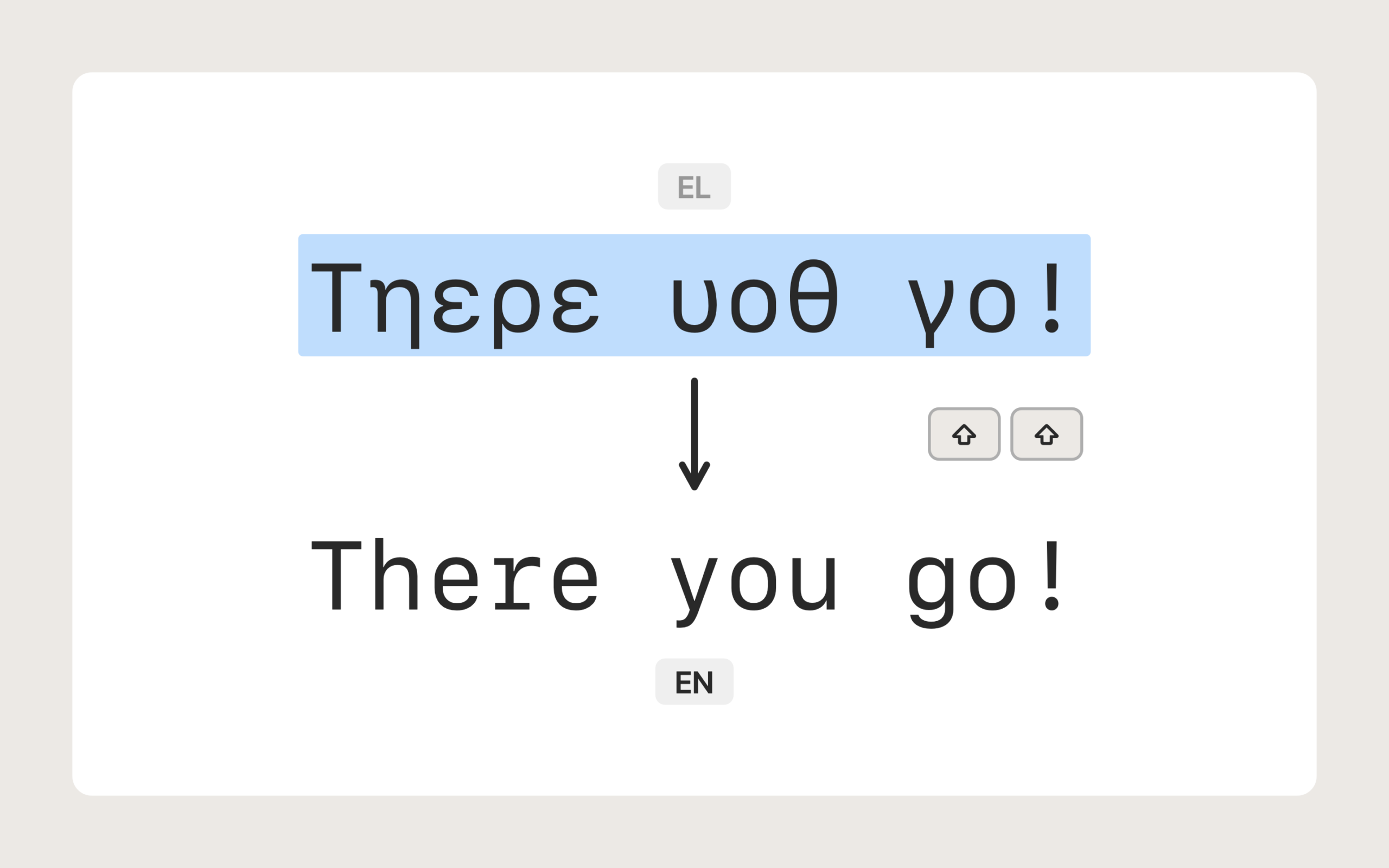
Your languages, not ours
The app uses no pre-made list of languages and no dictionaries.
Simple Keyboard Switcher works with the keyboard layouts you already have on your Mac — any pair, in both directions. From your language to English, from German to Russian, from English to Greek, and so on.
In general the app works with almost every language.
Add a layout in System Settings, and it starts working with that one too.
The exception is CJK — Chinese, Japanese, Korean — where the principles of word formation differ substantially from alphabetic languages. This app does not work with them.
Who it is for
If you switch layouts several times a day, this app is for you.
- Developers who write code in English and comments in their own language.
- Translators and editors who live between two keyboards.
- Students who moved abroad to study.
- Anyone who changed countries and kept both languages in daily use.
- Anyone whose mail and messages are in one language while the work is in another.
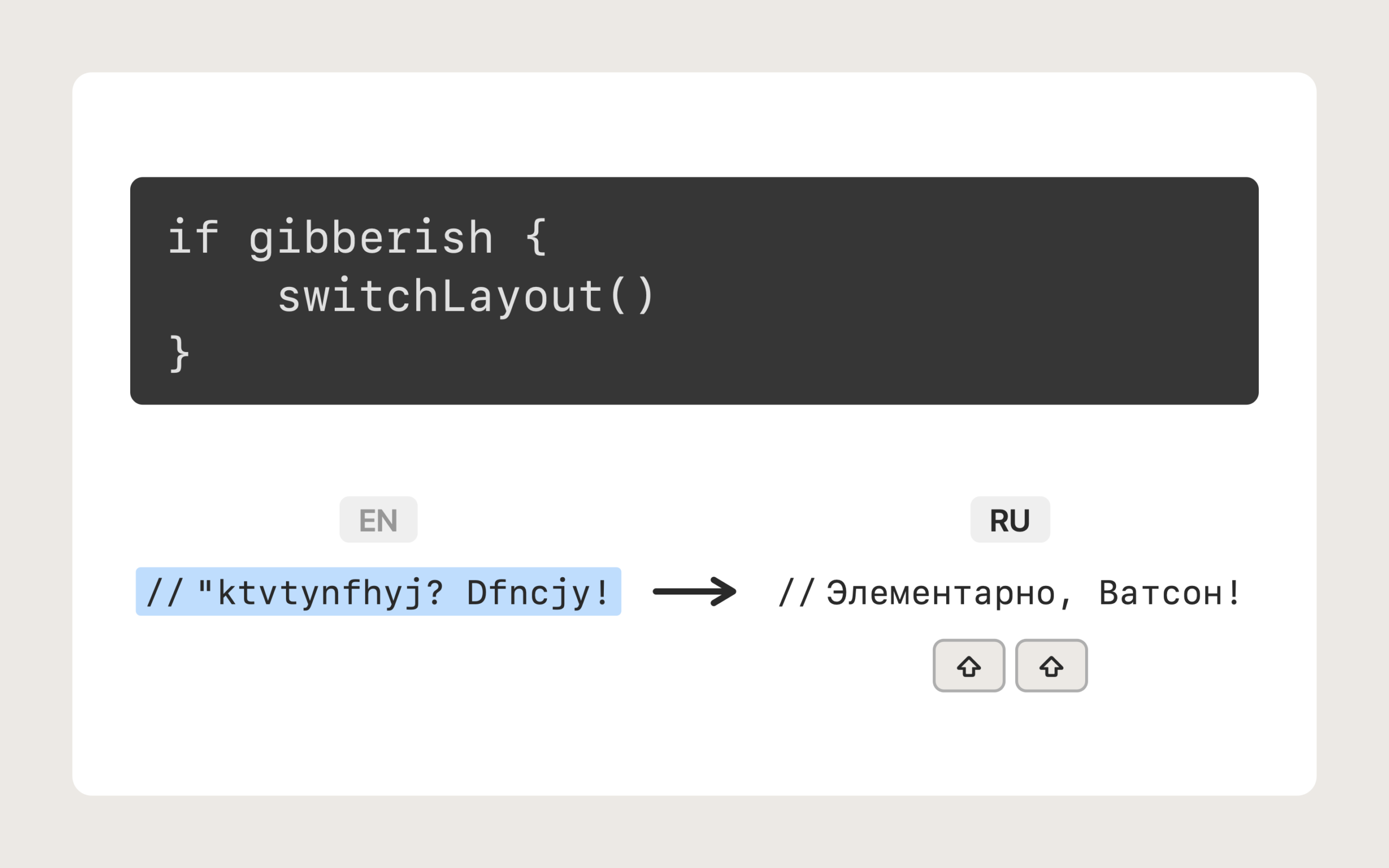
Light and quiet
The app lives in the menu bar and does nothing until you press Shift twice. It holds about 15 MB of memory, opens no windows of its own, runs no background tasks and will not slow your Mac down. You will forget it is running.
Safe by construction
Nothing leaves your Mac. The app has no network access at all — not for updates, not for statistics, not for anything. Your text is converted on the spot and forgotten.
No tracking. Switchers that correct text on their own have to watch every key you press. This one does not watch every key: it touches only the words you point it at. You can see that for yourself — look at your clipboard: from this app you will find there only what you asked it to fix, not everything you typed.
Nothing is collected or stored. No history, no logs, no accounts, no analytics.
System permission. On first launch Simple Keyboard Switcher asks for System permission: System Settings → Privacy & Security → Accessibility (not to be confused with System Settings → Accessibility).
This is the one that lets an app work inside other apps. That is exactly what is needed to fix words typed there in the wrong layout. Simple Keyboard Switcher does nothing else in other apps.
Requirements
macOS 14 Sonoma or newer.
Price
$2.99
One-time purchase. No subscription.
Questions
Does it work everywhere? In almost every app — notes, mail, chats, browsers, code editors, search boxes.
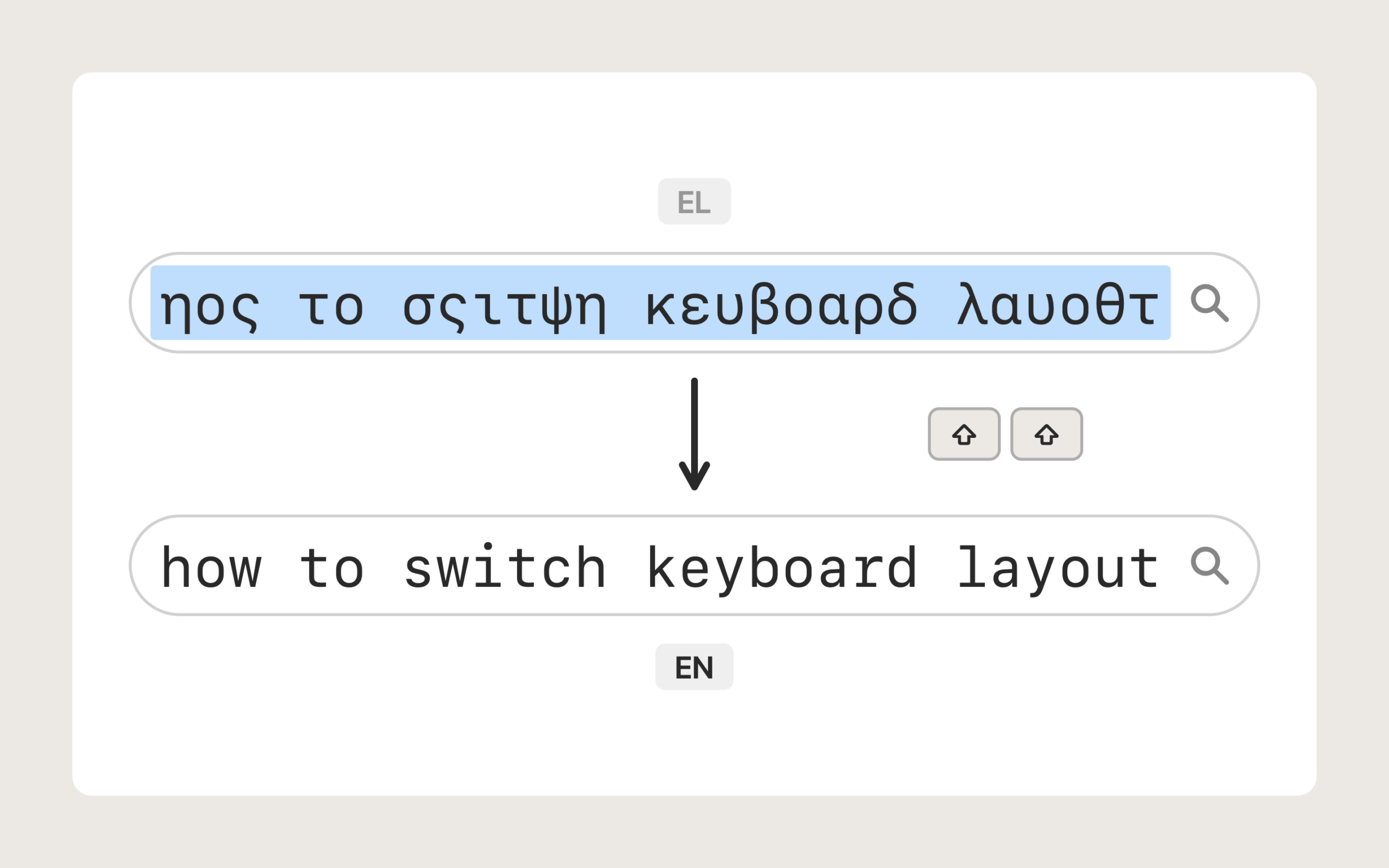
Are there apps where it does not work? So far we have found one case: the file name field that Preview shows when you save a document. It looks like a glitch in Preview itself — at that moment even the usual ways of switching the layout, by keyboard or from the menu bar, stop working too.
What about punctuation? The app relies on macOS itself, and macOS treats punctuation marks as word separators. So words and groups of words with punctuation in them are best fixed by selecting the text and double-tapping the right Shift.
Does it touch my clipboard? The app uses the clipboard, among other things, to fix words. And if you keep a clipboard history, you can see there for yourself that the app works only with the words you are fixing.
Can I undo it? Yes — double-tap again and the text returns to what it was.
Privacy Policy
Simple Keyboard Switcher does not collect, store or transmit any personal data.
Feedback
Contact
[App Store badge — added once the app is on sale]